Lab Merge is a turn-based sliding-tile puzzle. Drag across the board to preview a direction, then release to make the move. Compatible tiles combine and a new tile normally appears after a successful move, so every turn changes both your opportunities and the available space.
Classic 2048 rules#
In 2048 mode, tiles with the same value combine: 2 + 2 becomes 4, 4 + 4 becomes 8, and so on. The usual milestone is the 2048 tile, but a run can continue while legal moves remain.
Try to keep your largest tiles organised toward an edge or corner. Avoid swiping without a plan: a nearly full board can end quickly when matching values become separated.
Threes rules#
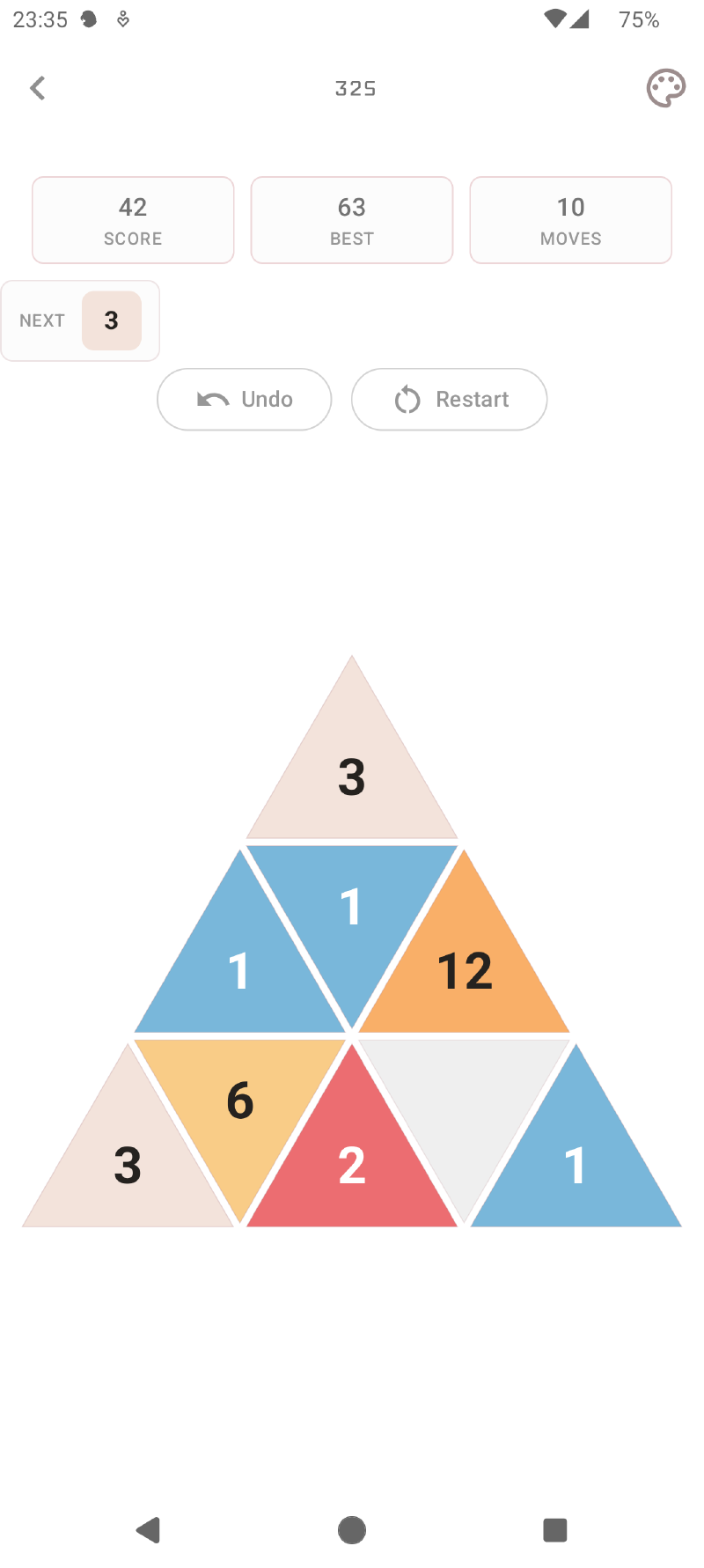
Threes mode changes both the combinations and movement. A 1 combines with a 2 to make 3; after that, equal values combine—3 + 3 becomes 6, 6 + 6 becomes 12, and so on. Each move advances tiles by one cell rather than compressing them to the edge. The next-tile preview shows what will enter from a changed lane.
Fibonacci rules#
Fibonacci mode joins neighbouring values from the sequence in either order: 1 + 1 becomes 2, 1 + 2 becomes 3, 2 + 3 becomes 5, and so on. Tiles compress towards the edge. New tiles are usually 1 and occasionally 2; the goal is 2584, with the option to keep playing afterwards.
Powers of 3 rules#
Powers of 3 uses pairwise merges: 3 + 3 becomes 9, 9 + 9 becomes 27, and so on. It does not require three matching tiles. Tiles compress towards the edge, a new 3 appears after a successful move, and the goal is 2187. You can continue beyond the goal while legal moves remain.
Saved games, best scores, statistics, and tile milestones are kept separately for all four modes.
Square, hexagonal, and triangular movement#
Square boards move in four directions. Hexagonal and triangular-cell boards use three reversible axes, providing six directions and changing how corners, lanes, and escape routes work. Board outlines can contain gaps, so a useful edge on one layout may be a trap on another.
Triangular-cell boards are currently behind a beta switch on the home screen. They are different from the Triangle silhouette layout, which still uses square cells.
Preview and commit a move#
As you drag, movable tiles follow the selected direction and prospective merges appear before the board changes. Returning towards the starting point cancels the preview; releasing after the commit distance applies exactly the move shown. Score, random spawning, terrain use, undo history, and saved progress do not change until release.
The in-development Swipe Sensitivity setting changes how much of a cell you must drag before release—from a more responsive short gesture to a more deliberate movement. Disabling animations makes committed moves settle immediately.
Save, resume, and undo#
Progress is saved locally for each mode and layout. You can leave one board, try another, and return to the earlier run later. The undo control can step back through up to 20 recent states, which is useful when learning a layout or recovering from an unintended swipe. Cancelling a move preview does not consume an undo state.
Starting a new game replaces the saved run for that particular mode and layout after confirmation; it does not erase your other boards or completed-game history.
Continue with Modes and Boards to choose a rule set and layout.