Scheduled items help Budgie represent money that is expected in the future. They can describe recurring income, expenses, transfers, or bills and make upcoming activity visible before it reaches the ledger.
Schedules versus bills#
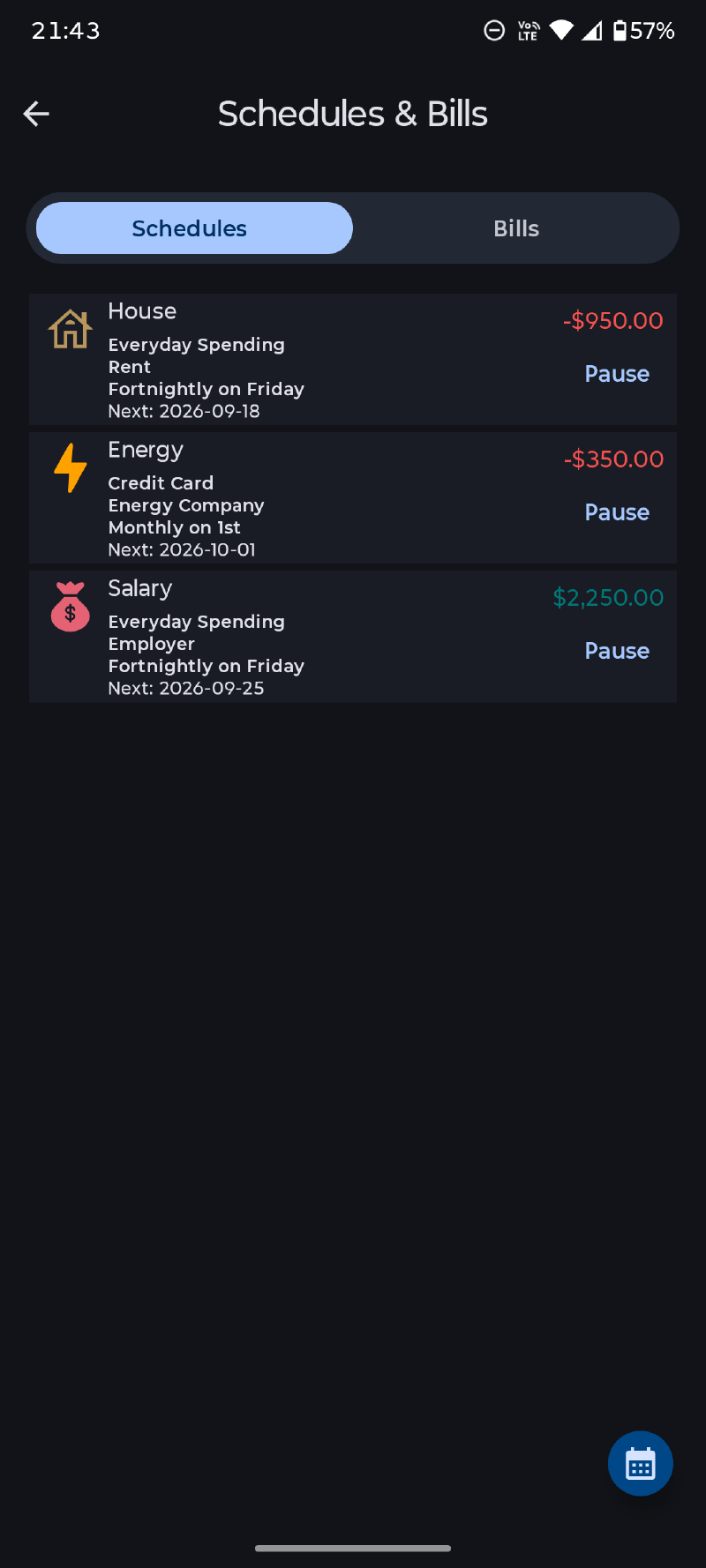
A schedule can automatically create its transaction when an occurrence becomes due. A bill waits for you to resolve the occurrence: mark it paid to create the corresponding transaction, or skip it to move to the next date without creating one.
Create a scheduled item#
Open Scheduled Items, add a schedule or bill, and enter the transaction details it should use. Configure its start or due date and recurrence. The selected date must not be in the past.
For recurring activity, choose the interval that matches the real event. Review account, amount, category or destination account, payee, tags, and notes just as you would for a normal transaction.
Use automatic creation for predictable items you want entered without confirmation. Use a bill when the actual payment needs acknowledgement or may be skipped.
Pay or skip a bill#
When a bill is due, you can:
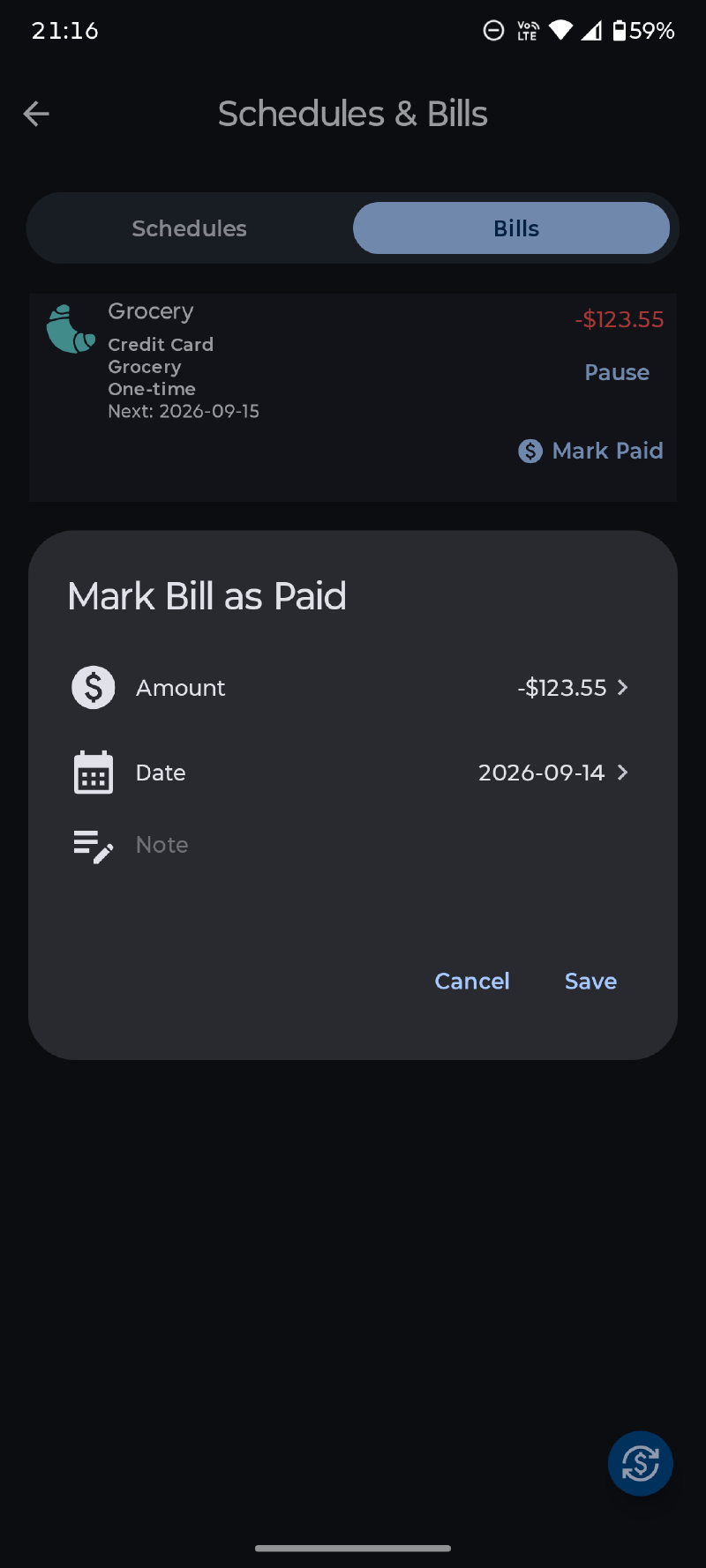
- Mark it paid and select the payment date, creating the associated transaction;
- Skip the occurrence, creating no transaction and moving a recurring bill to its next scheduled date.
A one-time bill is resolved after payment. Recurring bills preserve their schedule and advance to the next occurrence.
Reminders and follow-up#
Budgie can notify you before a bill or schedule is due. Notification preferences also control bill follow-up behavior: remind only at the configured time, remind again on the due date, or continue daily until the bill is marked paid.
Related notifications can be marked read automatically when a bill is paid or skipped.
Upcoming activity and balance warnings#
Upcoming schedules and bills can appear on the dashboard for the selected future period. Items marked for automatic creation use an indicator so they can be distinguished from bills requiring action.
For an account with scheduled-balance warnings enabled, Budgie can warn when projected activity would fall below a chosen threshold or cross a configured credit limit. This makes schedules useful not only as reminders, but also for seeing possible cash shortfalls before they occur.
Check schedules after restoring or importing data and whenever an amount, account, or recurrence changes.